Project Case Study
Active Directory Home Lab
A virtual Windows domain environment built to practice Active Directory, DNS, domain joins, user and group management, and Group Policy basics.
Overview
Why I built this lab
This project documents a small Active Directory lab built with VirtualBox, Windows Server 2022, and a Windows 11 client. The goal was to practice core Windows domain concepts including Active Directory Domain Services, DNS, domain joins, user and group management, and Group Policy basics.
Because many of the access and endpoint issues I support at work involve Active Directory in some way, I wanted to build a lab environment where I could better understand how the underlying pieces fit together. This gives me a safe place to test, document, and troubleshoot concepts that connect directly to enterprise IT support.
Project Goal
What this lab is meant to practice
The goal of this lab was to build a small Windows domain environment from the ground up using virtual machines. I wanted to better understand how a domain controller, DNS, and a Windows client work together in a basic enterprise-style setup.
Core goals
- Create and manage a virtual lab environment using VirtualBox
- Build a small Windows domain environment
- Practice Windows Server 2022 domain controller setup
- Understand how DNS supports Active Directory
- Join a Windows 11 client to the domain
- Practice basic user, group, and policy management
- Document the process like an internal IT knowledge base
Environment
Lab setup
Host Machine
Lenovo ThinkCentre
Physical desktop used to run the virtual lab environment.
Virtualization
VirtualBox
Used to create and manage the server and client virtual machines.
Server VM
Windows Server 2022
Configured as the domain controller for the lab environment.
Client VM
Windows 11
Used as the domain-joined workstation for testing.
Core Server Roles
AD DS and DNS
Active Directory Domain Services and DNS provide the foundation for the Windows domain.
Management Areas
Users, Groups, OUs, and Policy
The lab focuses on basic domain administration and Group Policy concepts.
Lab Architecture
How the environment is organized
Windows 10 Host
└── VirtualBox
    ├── Windows Server 2022
    │   ├── Active Directory Domain Services
    │   └── DNS
    └── Windows 11 Client
        └── Domain-joined workstation
Screenshots / Evidence
Lab configuration proof
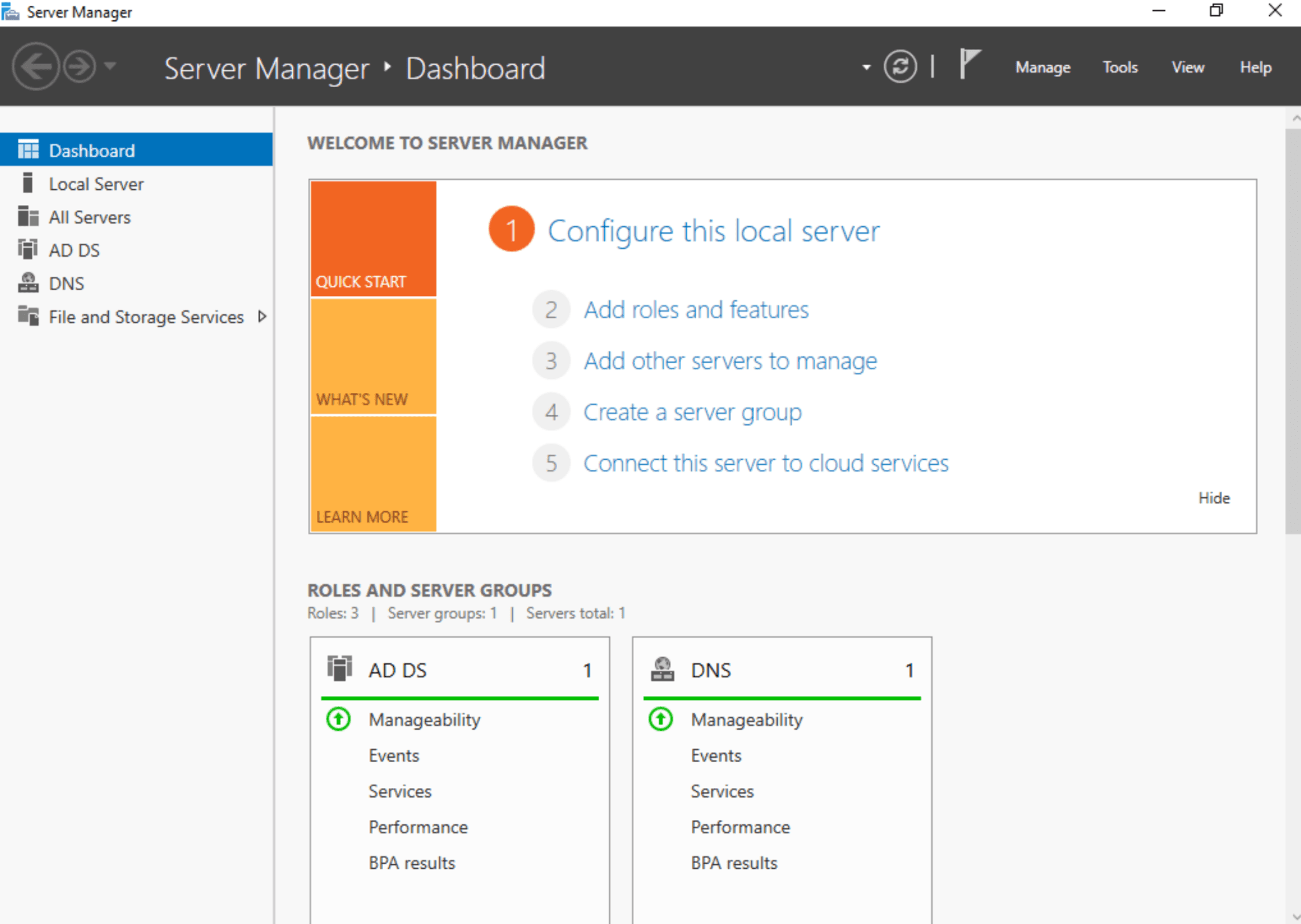
Server Manager — AD DS and DNS Roles
Server Manager dashboard showing AD DS and DNS roles installed on the Windows Server 2022 domain controller.
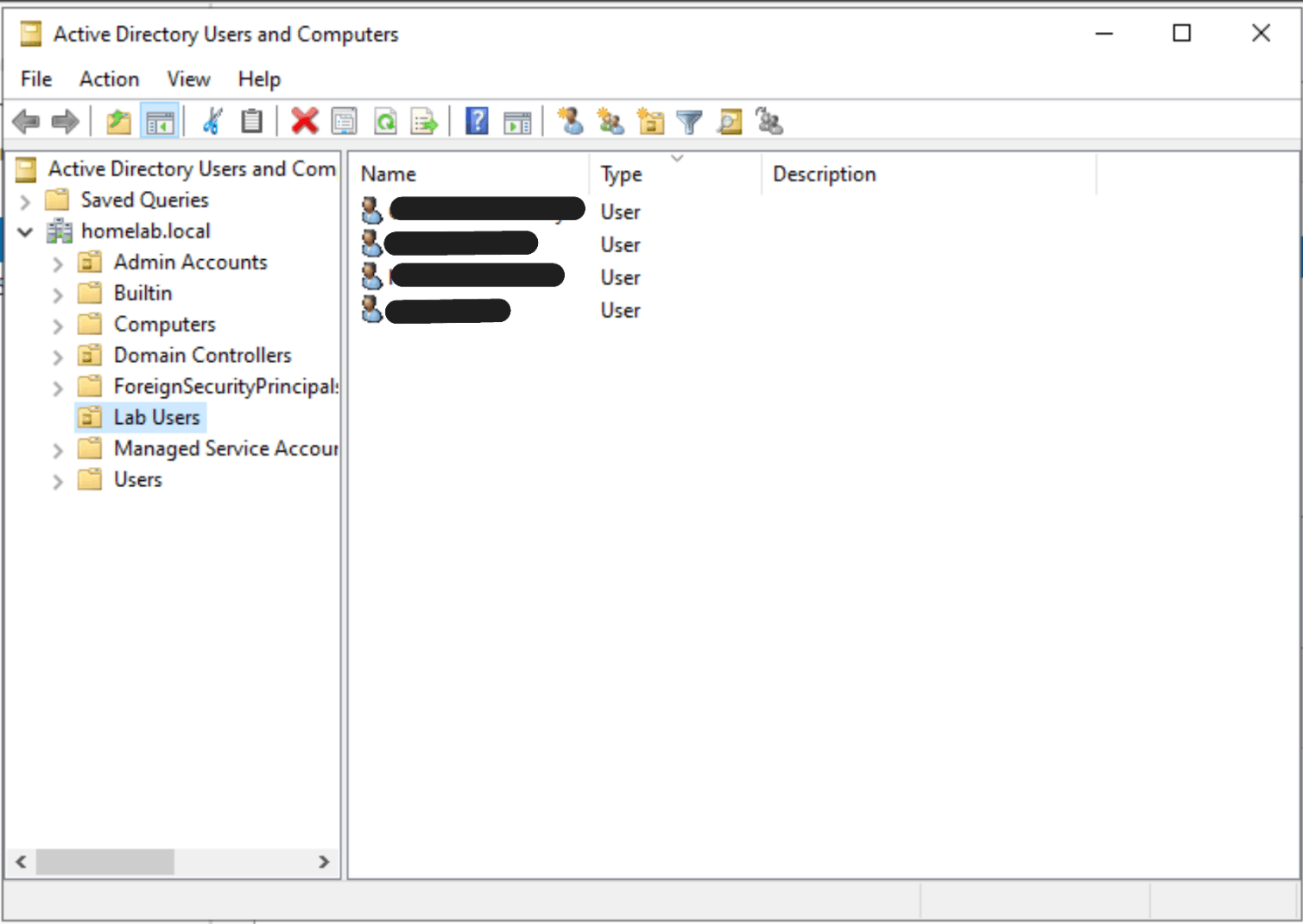
Active Directory Users and Computers — Lab Users OU
Active Directory Users and Computers showing the homelab.local domain structure, organizational units, and test user accounts.
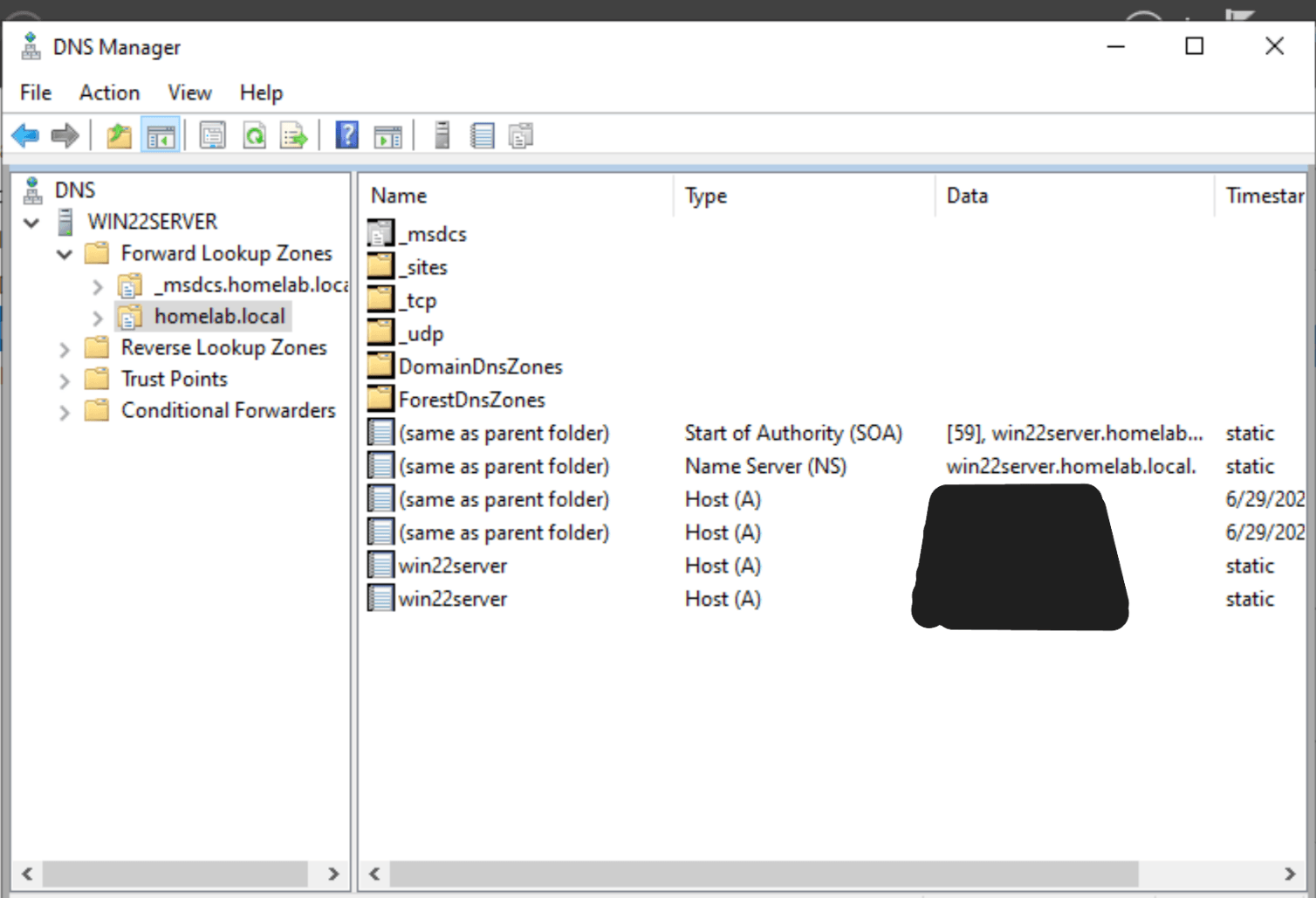
DNS Manager — Forward Lookup Zone
DNS Manager showing the homelab.local forward lookup zone and domain-related DNS records.
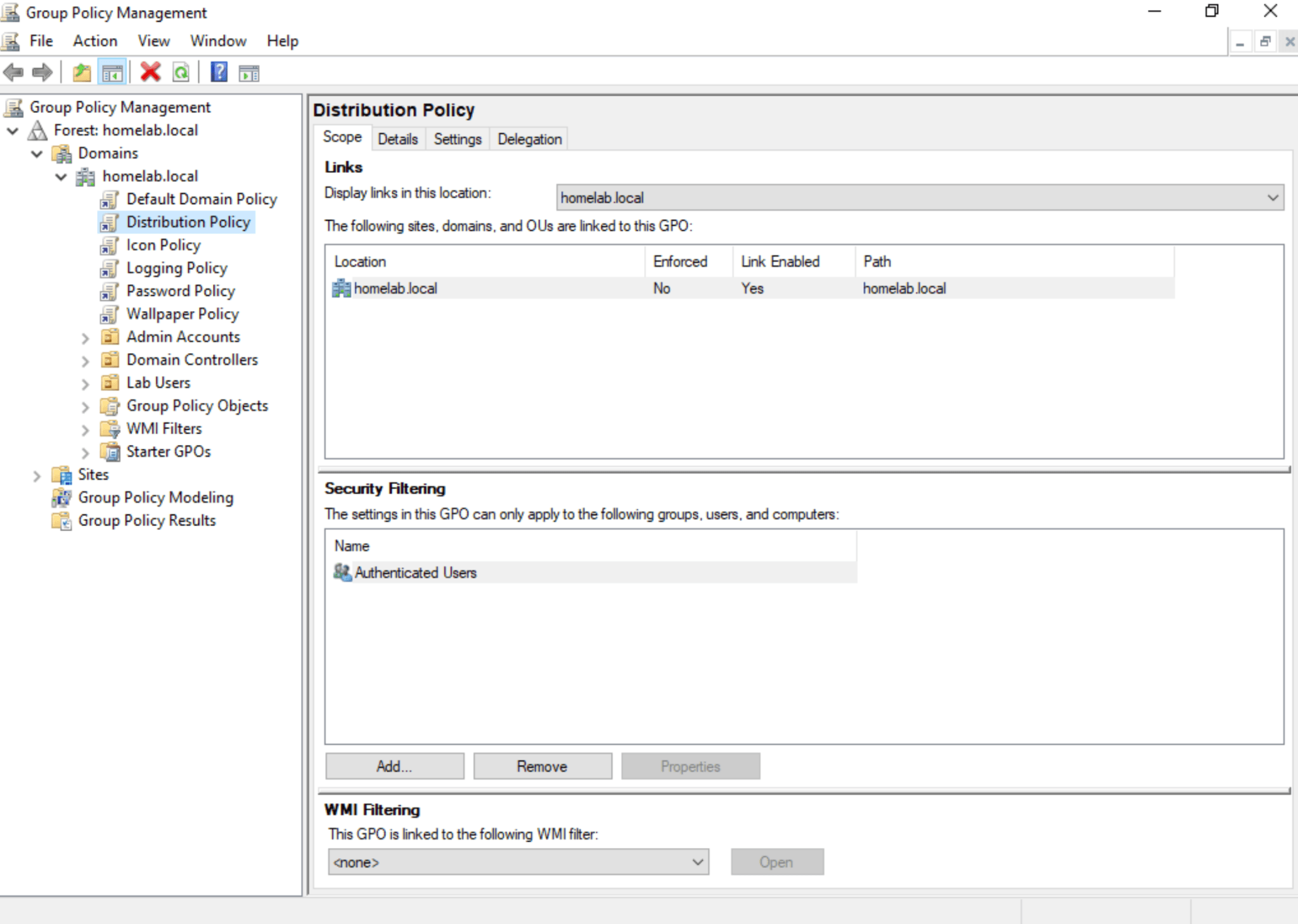
Group Policy Management — Custom GPOs
Group Policy Management Console showing custom GPOs created for lab testing, including distribution, icon, logging, password, and wallpaper policies.
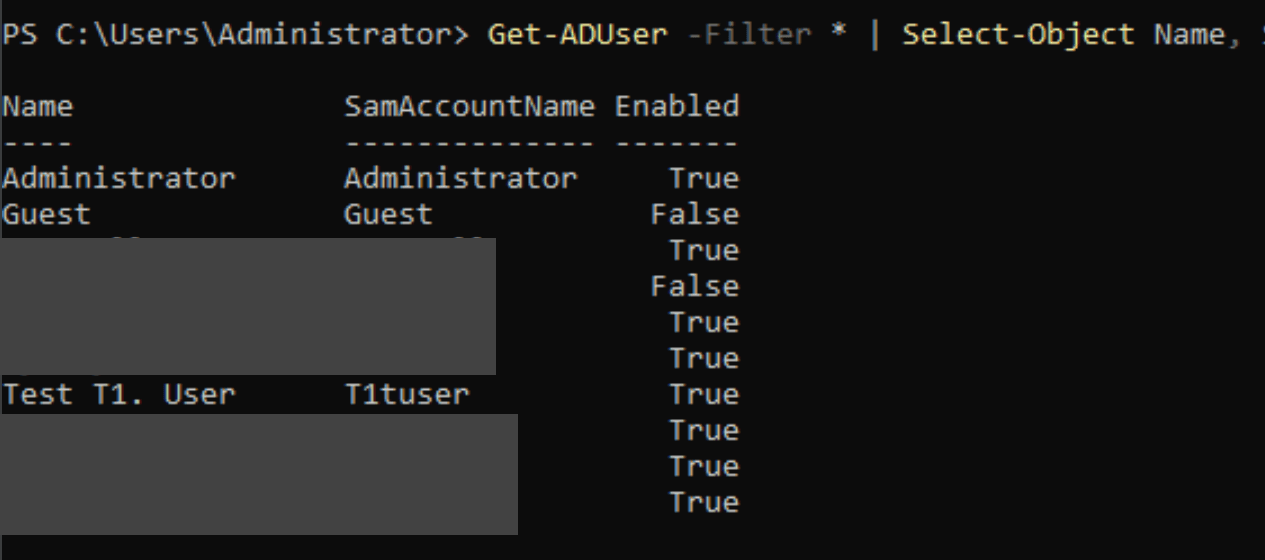
PowerShell — Get-ADUser Query
PowerShell output using Get-ADUser to list Active Directory user accounts and enabled status.
Configuration
What I configured
- Installed VirtualBox on the host machine
- Created a Windows Server 2022 virtual machine
- Created a Windows 11 virtual machine
- Installed Active Directory Domain Services
- Promoted the server to a domain controller
- Configured DNS for the domain
- Created organizational units
- Created test users
- Created security groups
- Joined the Windows 11 client to the domain
- Logged into the Windows 11 client with a domain user
- Created or tested a Group Policy Object
- Troubleshot DNS, domain join, or login issues
Skills Demonstrated
Technical areas practiced
Virtual machine setup and management
Windows Server 2022 administration
Active Directory Domain Services setup
DNS configuration and troubleshooting
Windows domain join process
User, group, and OU management
Basic Group Policy testing
Technical documentation
Next Improvements
How I plan to keep building on this lab
- Add more screenshots as the lab grows
- Document specific Group Policy examples
- Add a second Windows client for additional testing
- Practice shared folder and mapped drive configuration
- Add PowerShell examples for user and group management
- Create a more polished visual network diagram
- Continue documenting troubleshooting scenarios